
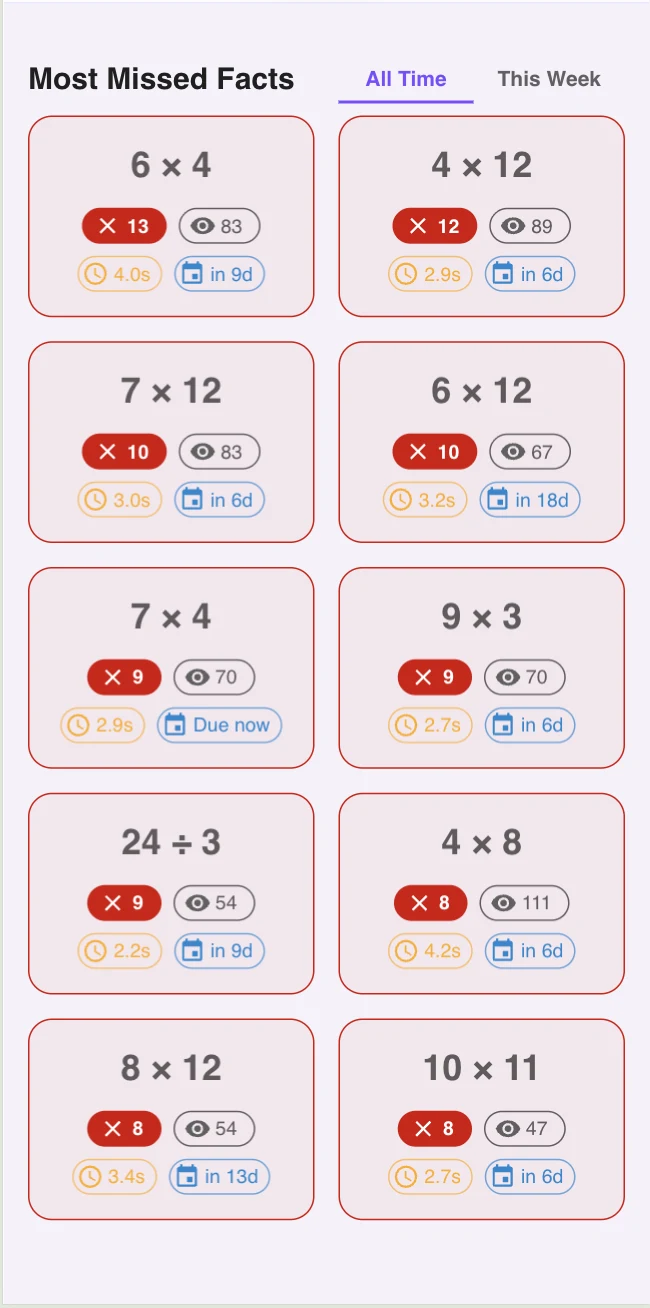
Why Anki Works (the SM-2 Insight)
SM-2 makes one core bet: the right time to review a fact is just before you would forget it. Review too early and you waste effort on a fact you still know. Review too late and the fact is gone. SM-2 estimates that sweet spot using two signals: how well you recalled it last time, and how long it has been since that recall.
Not all spaced repetition systems are equal. A calendar that spaces reviews apart is only the outer shape. The efficient version follows the forgetting curve closely enough to avoid both over-reviewing mastered facts and waiting until weak facts have fully disappeared.
For math facts the schedule typically looks like this:
- Day 0
Learn the fact. Review again in this same session.
- Day 1
First spaced review. Got it fast? Schedule for day 4.
- Day 4
Got it fast again? Schedule for day 11.
- Day 11
Got it fast? Schedule for day 30.
- Any miss
Reset to day 0 and start the ladder over.
A Quick Detour: The Leitner Box System
If SM-2 is the algorithm, the Leitner system is the intuition behind it — and it's the easiest way to picture what is happening on every card. Picture five physical boxes sitting in a row on a desk. Every multiplication fact starts in Box 1.
- Box 1 — review every day
New or recently-missed facts live here. Heavy daily rotation.
- Box 2 — review every 3 days
A fact that survived a fast-correct in Box 1 graduates here.
- Box 3 — review every 7 days
The fact is on its way to durable memory.
- Box 4 — review every 14 days
Light maintenance. The fact is reliable now.
- Box 5 — review every 30 days
Mastered. Long-term memory keeps it without much help.
Rules: a fast-correct answer moves the card up one box. A miss sends it all the way back to Box 1, no matter how high it had climbed. That is the entire system — first developed by Sebastian Leitner in 1972 for language learning, and the conceptual ancestor of every modern SRS app.
Math Builders implements a Leitner / SM-2 hybrid. The first few boxes use fixed Leitner intervals (1 day, 3 days, 7 days); higher boxes hand off to SM-2 so the spacing keeps widening adaptively for each kid. The kid sees none of this — but the queue underneath is just five boxes on a desk, automated.
The math-facts version also adds response-time grading. A fact that is correct but slow is not treated the same as an automatic answer, because fluency depends on fast retrieval, not eventual correctness.
Where Anki Falls Apart for Kids
- Deck authoring
A kid (or parent) has to type out 169 cards for the 0 through 12 grid, decide on card format, and import images. That is a project before practice even starts.
- Self-grading
Anki asks the learner to rate their own recall 1 through 4. A kid cannot reliably do that, and a parent watching every card defeats the point of independent practice.
- UI built for desktop adults
Dense, keyboard-driven, monochrome. The Anki Web/mobile clients are better, but still feel like clinical software, not something a kid wants to open daily.
- No response-time grading
Anki cares about whether you got it right. For math facts, speed matters as much as accuracy — a 12-second 'right' answer is reconstruction, not recall. You need a tool that grades on both.
The Anki Workflow Translated for Kids
Strip Anki down to its core mechanism, then rebuild the surface around an 8-year-old:
- SM-2 scheduler
Same idea: widen intervals after a correct recall, reset on a miss. Math Builders runs this in the background.
- Auto-grading on response time
Under 3 seconds = known (push interval out). Over 3 seconds but correct = reconstruction (hold interval flat). Wrong = today. This replaces the 1-4 button.
- Pre-loaded multiplication deck
0 through 24 times tables already exist. No setup. The first session starts with a real, ordered queue.
- Kid-friendly card view
Big numbers, big buttons, a customizable scene, and a 2-to-5-minute session shape. The clinical Anki UI is the wrong vibe for grade school.
That is the difference between "Anki-style practice" (the mechanism) and Anki the application. The mechanism is the valuable part. See spaced repetition for math facts for the deeper science, and spaced repetition vs traditional math drills for the side-by-side comparison with worksheet-based practice.
A 2-to-5-Minute Anki-Style Multiplication Session
- 0:00 to 0:30 — Warm-up
10 to 15 known facts at full speed. Gets the retrieval circuit warm.
- 0:30 to 3:30 — Due queue
Whatever SM-2 pulled today: yesterday's misses, plus facts whose interval just expired.
- 3:30 to 5:00 — Mixed sprint
30 to 40 mixed facts. Confirms the spacing held under speed pressure.
Try the Workflow Today
You can start a session right now with no setup: open the practice page and the queue is already built. For the underlying method, the how to build math automaticity guide walks through what is happening on every card.

Frequently Asked Questions
Yes. Anki is a general-purpose spaced repetition flashcard tool, so you can build a multiplication deck and the SM-2 scheduler will work fine. The trade-off is that you have to author every card, you have to grade your own recall, and the desktop UI is built for adult learners, not 8-year-olds.
A purpose-built tool beats raw Anki for kids because it removes the three pain points: deck authoring, self-grading, and a serious-looking interface. Math Builders applies the same SM-2 plus Leitner spacing logic as Anki but pre-loads the multiplication deck, auto-grades using a 3-second response-time cutoff, and presents the cards in a kid-friendly UI.
Regular flashcards show you every card every time. Anki only shows the card that is due today, based on how well you knew it last time. That single change cuts daily review time by 60 to 80 percent compared to going through a full deck.
SM-2 is the spacing algorithm Anki uses. It widens the interval between reviews each time you recall a fact correctly. For math facts that means a fact you just learned shows up tomorrow, then in 3 days, then 7, then 14, then 30, and so on. Each successful recall doubles the gap, keeping practice time low while memory stays high.
In Anki, yes — you press 1 through 4 to rate your own recall. Math Builders grades for you using response time: under 3 seconds counts as fast recall (push interval out), 3 to 10 seconds counts as reconstruction (reset the interval), wrong resets to today. Removing self-grading is what makes the workflow work for kids.