
The Ranked List
Full disclosure up front: Math Builders is our app. The ranking criteria are public and simple — recall measured per fact, missed facts brought back on a spaced schedule, and sessions short enough that the habit survives — and every entry below is judged against them, ours included. Every one of these apps is a practice supplement: they work alongside a school curriculum, not instead of one.
Math Builders — Short adaptive sessions built around spaced repetition
This is our app.
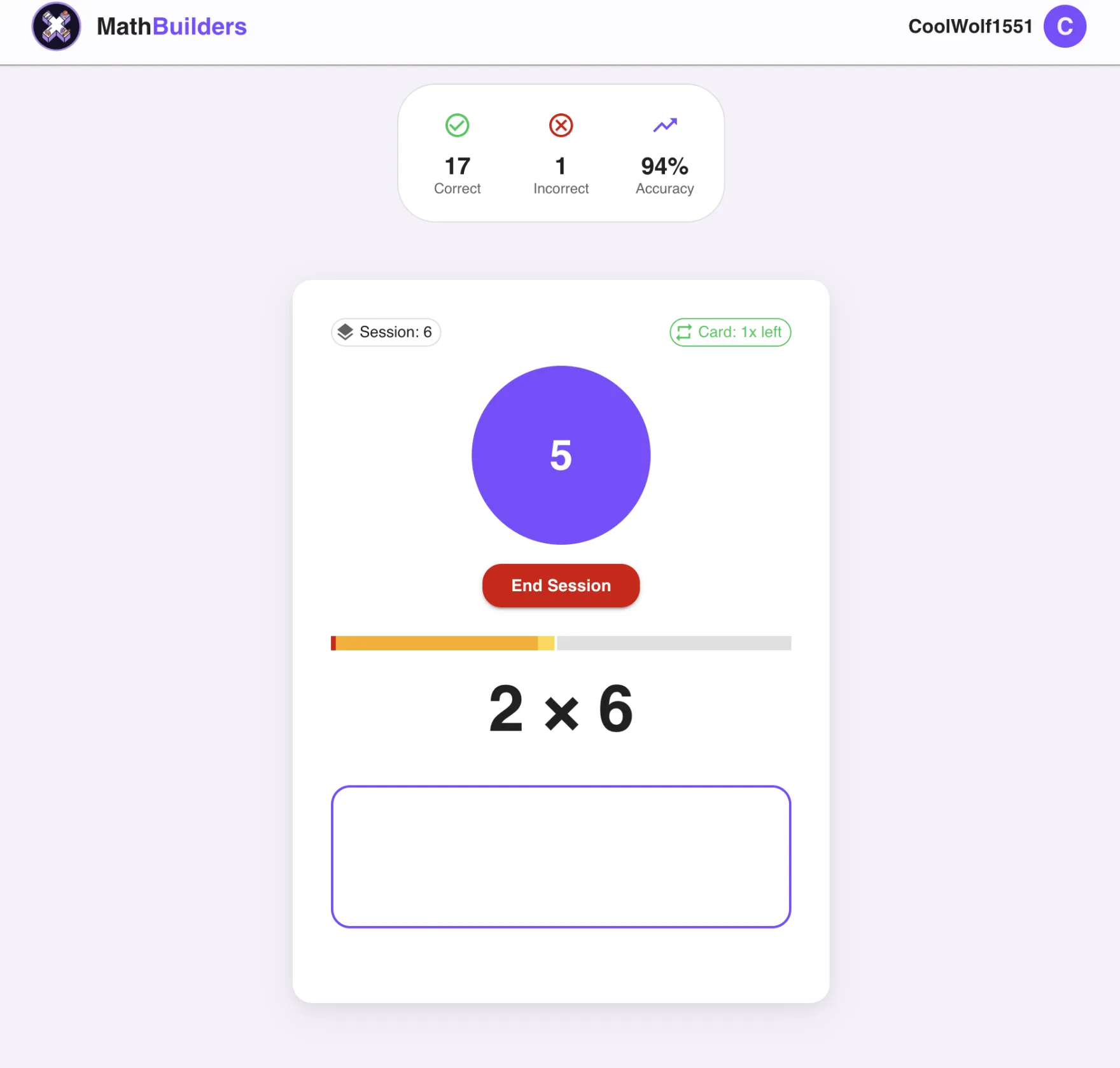
Built around the three features this page tests for and nothing else: a 3-second per-fact cutoff, spaced reintroduction at widening intervals, and 2-to-5-minute sessions with a clean stop. Practice time quietly shifts toward the slow facts, so every minute goes where it helps.
Best for: Daily fact practice that works alongside whatever curriculum your child already uses — parents, homeschoolers, tutors, and teachers.
Watch for: It is a fact-fluency supplement, not a full math curriculum, and there is no game world — kids who need an avatar to show up may want a game-first app beside it.
Division: Yes — division, addition, and subtraction packs alongside multiplication up to 24x24.
Times Tables Rock Stars — The motivation heavyweight for schools
A rock-themed practice world with avatars, leaderboards, and school-wide battles. Widely adopted in UK and US schools, and the competitive energy gets reluctant kids to show up voluntarily.
Best for: Kids who are motivated by competition, teams, and school-wide events.
Watch for: Points measure activity, not always recall — pair the game stats with fact-level accuracy, and expect a subscription (individual or school).
Division: Yes — division is included alongside multiplication.
XtraMath — The structured free-to-start classroom routine
A no-frills daily routine covering all four operations with teacher and parent reporting. It measures per-fact speed, which most apps skip.
Best for: Families and classrooms that want a familiar, structured routine with progress emails.
Watch for: The pace reads as a timed test to some kids and daily resistance builds fast; if sessions become a fight, switch to a shorter stop-anytime loop before practice disappears.
Division: Yes — addition, subtraction, multiplication, and division.
Prodigy Math — The RPG kids ask to play
A full-curriculum role-playing game where math questions gate battles and loot. Kids genuinely ask to play it, which no drill app can claim.
Best for: Motivation-first households where any voluntary math beats perfect math.
Watch for: Fact fluency is diluted across a whole curriculum — multiplication recall practice per hour is low, and membership upsells are frequent.
Division: Partially — division appears inside general curriculum questions.
Reflex Math — The school-license fluency specialist
A dedicated fact-fluency program (addition/subtraction and multiplication/division tracks) with adaptive coaching games and solid research backing.
Best for: Schools and districts buying a dedicated fluency program with reporting.
Watch for: Priced and packaged for institutions — families usually reach it through a school license rather than buying directly.
Division: Yes — a dedicated multiplication/division track.
99math — The live class game
Kahoot-style live math games a teacher hosts, plus solo practice modes. Great classroom energy and quick to run.
Best for: Teachers who want a whole-class fluency game with zero setup.
Watch for: It shines live; independent daily practice at home is a weaker mode, so pair it with a home routine.
Division: Yes — teachers pick the operation and range per game.
Flash card apps and paper decks — The zero-cost fallback
Anki-style flash card apps and paper decks still work when an adult manages the stack: pull the slow facts, retire the known ones, and re-test tomorrow.
Best for: Quick offline checks, car rides, and no-device backup practice.
Watch for: Unmanaged decks spend most of the time on facts the child already knows — the exact problem adaptive apps exist to fix.
Division: Yes, if you build the deck.
Best Apps for Multiplication AND Division
Division fluency is where several multiplication apps quietly stop. If your child needs both — most kids do by 4th grade — the short list is: Math Builders (dedicated division, addition, and subtraction packs), XtraMath (all four operations), Reflex Math (a combined multiplication/division track), Times Tables Rock Stars, and 99math. Division recall is easiest when it rides on multiplication — 42 ÷ 7 is just 7 × 6 asked backward. Our division fact fluency guide explains how to sequence the two. And when the real question is all four operations — addition and subtraction included — see our ranked list of the best math fact apps.
The Three Features That Matter
Skip the rankings. Skip the screenshots. Look for these three features and you will sort the entire market into "works" and "doesn't" inside one minute.
- 1. A speed cutoff (around 3 seconds)
The app should treat slow correct answers differently than fast correct answers. If everything correct counts the same, the app cannot tell which facts are actually retrieved versus reconstructed.
- 2. Spaced reintroduction
Missed facts should return at widening intervals (today, tomorrow, 3 days, 7, 14, 30). If facts get marked done and never come back, your child forgets them in two weeks.
- 3. Short sessions with a clean stop
2-to-5-minute sessions. The child should be able to stop without losing progress. If the app demands 15+ minute sessions, it is optimizing for time spent, not learning per minute.
The 60-Second Test
Open the app. Run a quick session. Then check three things:
- Does it time individual facts?
If you cannot see your child's per-fact response time, the app is not actually measuring fluency.
- Can your child stop mid-session without losing progress?
Try it. If everything resets, the app is built for engagement metrics, not real practice.
- Does it bring back facts that were marked correct last week?
If yes, you have spaced repetition. If no, you have a quiz tool.
What the Common Apps Get Wrong
| Pitfall | Why It Fails |
|---|---|
| "Mastered" badge after 1 to 2 correct answers | The fact gets retired and quietly forgotten in 2 to 3 weeks. No backup, no spacing. |
| Long fixed sessions with no pause | Resistance builds. Practice quietly stops happening. The only sustainable session length is short. |
| Heavy gamification, no recall measurement | Kid scores go up because they are getting better at the game, not the math. Always ask: what is the recall score? |
| Identical drill regardless of strength | 70 percent of practice goes to facts the child already knows. Adaptive focus is the entire point of digital practice. |
"Mastered" badge after 1 to 2 correct answers
Why it fails: The fact gets retired and quietly forgotten in 2 to 3 weeks. No backup, no spacing.
Long fixed sessions with no pause
Why it fails: Resistance builds. Practice quietly stops happening. The only sustainable session length is short.
Heavy gamification, no recall measurement
Why it fails: Kid scores go up because they are getting better at the game, not the math. Always ask: what is the recall score?
Identical drill regardless of strength
Why it fails: 70 percent of practice goes to facts the child already knows. Adaptive focus is the entire point of digital practice.
How the Main Options Compare
Most parents are not choosing between one perfect app and a bad app. They are choosing a fit for their kid. Use the comparison this way: pick the routine your child will actually restart tomorrow, then make sure it still measures recall instead of just activity.
| Option | Best Fit | Watch For |
|---|---|---|
| XtraMath-style routines | Families or classrooms that want a familiar, structured fluency routine with reporting. | If the session turns into daily resistance, try a shorter stop-anytime loop before fluency practice disappears. |
| TTRS-style game worlds | Kids who are motivated by avatars, teams, leaderboards, and school-wide challenges. | Make sure game progress is paired with fact-level recall data, not only points or time spent. |
| Worksheets and flashcards | Quick offline checks, parent-led review, or a no-device backup routine. | They usually repeat too many known facts and miss the slow facts unless an adult manually manages the stack. |
| Math Builders | Parents, homeschoolers, tutors, and teachers who want short adaptive sessions with weak-fact review. | It is focused on fact fluency, not a full math curriculum or a whole-school competition platform. |
XtraMath-style routines
- Best fit
- Families or classrooms that want a familiar, structured fluency routine with reporting.
- Watch for
- If the session turns into daily resistance, try a shorter stop-anytime loop before fluency practice disappears.
TTRS-style game worlds
- Best fit
- Kids who are motivated by avatars, teams, leaderboards, and school-wide challenges.
- Watch for
- Make sure game progress is paired with fact-level recall data, not only points or time spent.
Worksheets and flashcards
- Best fit
- Quick offline checks, parent-led review, or a no-device backup routine.
- Watch for
- They usually repeat too many known facts and miss the slow facts unless an adult manually manages the stack.
Math Builders
- Best fit
- Parents, homeschoolers, tutors, and teachers who want short adaptive sessions with weak-fact review.
- Watch for
- It is focused on fact fluency, not a full math curriculum or a whole-school competition platform.
Where Math Builders Fits
Math Builders was built around the three features above and nothing else. 3-second per-fact cutoff. Spaced reintroduction at widening intervals. 2-to-5-minute sessions with a clean stop. The session quietly weights time toward the slow facts and away from the easy ones, so every minute of practice goes to the place it actually helps.
Read the method behind it in math fact fluency and spaced repetition for math facts. Or just start a session and see whether the method clicks for your kid.
If your priority is a learner session without purchase prompts, see our guide to math practice without in-app purchases.

Install the Best Multiplication App in 30 Seconds
The best multiplication app is the one your child actually opens — and every tap between your kid and a session is a place the habit can leak. Math Builders is a progressive web app, so on an iPhone or iPad it installs straight from Safari with no App Store and no download wait: tap Share, choose "Add to Home Screen," then tap Add. The icon lands next to the other apps, it opens full-screen with one tap, and it's always the latest version — a 30-second setup shown in the video below.
On Android, open mathbuilders.com in Chrome, tap the three-dot menu, then "Add to Home screen." Either way, the app works alongside whatever your child's school already uses — practice stays 2 to 5 minutes a day, and progress syncs to the same account on every device.
Frequently Asked Questions
For daily fact fluency we rank Math Builders first (it is ours — the ranking criteria are public on this page): 3-second recall cutoff, spaced repetition, 2-to-5-minute sessions. Times Tables Rock Stars is the strongest pick for competition-motivated kids, and XtraMath for a structured free-to-start classroom routine.
Math Builders (dedicated division, addition, and subtraction packs), XtraMath (all four operations), Reflex Math (a multiplication/division track), Times Tables Rock Stars, and 99math all cover division. Prodigy touches division inside its general curriculum rather than as focused fact practice.
Three things: short sessions (under 10 minutes), adaptive focus on slow facts, and spaced repetition that brings missed facts back at widening intervals. Anything else is decoration.
Yes, when the app is adaptive. A worksheet wastes 70 percent of the time on facts the child already knows. A good adaptive app spends almost every minute on the facts that need work.
2 to 5 minutes per day is plenty. Daily consistency beats long sessions. If your app demands 20+ minute sessions, it is optimizing for time spent rather than learning per minute.
Often yes, because the free apps tend to be ad-heavy or built for engagement metrics rather than retention. The deciding factor is the method (3-second cutoff, spaced repetition), not the price.